Personal Project개인 프로젝트
Portfolio Migration Agent (rewrite-my-report) 포트폴리오 마이그레이션 에이전트 (rewrite-my-report)
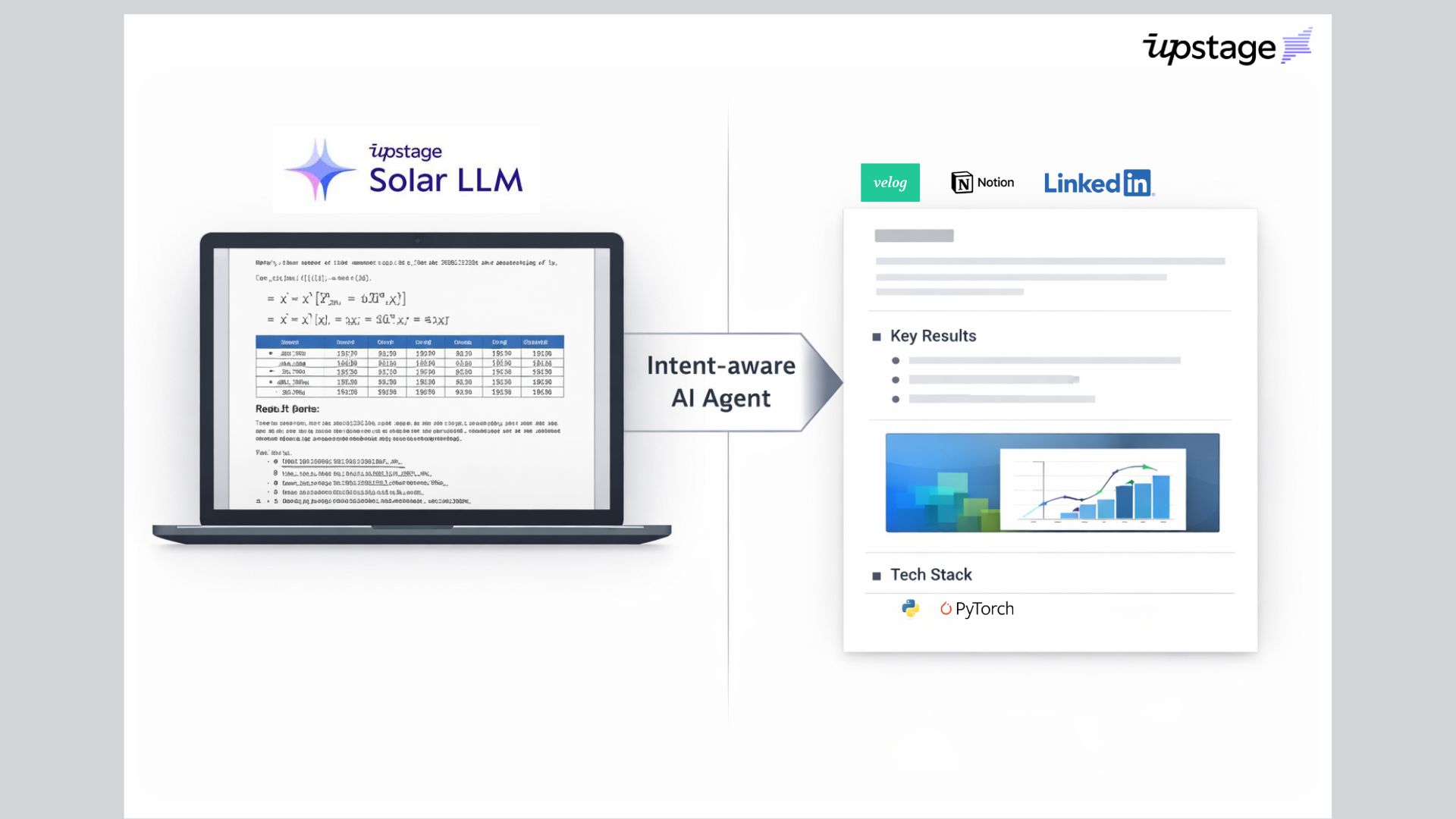
An agent that rewrites PDF reports into portfolio-ready markdown and saves them to Notion in one step. Upload a coursework or lab report PDF, and it is rewritten into a recruiting/portfolio structure (Title, One-line Summary, What I Built, Key Results, Representative Visuals, Tech Stack, etc.), with web preview and Notion DB saving handled in one flow.
PDF 보고서를 포트폴리오용 마크다운으로 바꾸고, Notion에 한 번에 저장하는 에이전트입니다. 과제/실험 보고서 PDF를 업로드하면, 채용·포트폴리오용 구조(Title, One-line Summary, What I Built, Key Results, Representative Visuals, Tech Stack 등)로 재작성하고, 웹 미리보기와 Notion DB 저장까지 한 번에 처리합니다.
Demo Video / Representative Image데모 영상 / 대표 이미지
1. Overview1. 개요
Coursework and lab reports usually follow a "purpose → method → results → discussion" structure, but recruiting portfolios and Notion archives fit better with formats like "one-line summary", "what I built", "key results", "representative visuals", and "tech stack". This project provides a pipeline that extracts text and images from PDFs with Upstage Document Parse, generates a fixed 8-section portfolio markdown with Upstage Solar LLM, previews it in a Streamlit web UI, and saves it to a DB via the Notion API.
과제·실험 보고서는 보통 "목적 → 방법 → 결과 → 고찰" 구조로 작성되지만, 채용 포트폴리오나 Notion 정리에는 "한 줄 요약", "무엇을 만들었는지", "주요 결과", "대표 시각 자료", "기술 스택" 같은 형태가 더 적합합니다. 이 프로젝트는 Upstage Document Parse로 PDF에서 텍스트와 이미지를 추출하고, Upstage Solar LLM으로 고정 8단 구조의 포트폴리오용 마크다운을 생성한 뒤, Streamlit 웹 UI에서 미리보기하고 Notion API로 DB에 저장하는 파이프라인을 제공합니다.
2. Key Features2. 주요 기능
- PDF Parsing: Text + image extraction with Upstage Document Parse (order preserved)
- Portfolio Rewriting: Fixed 8-section document generation with Solar LLM (coursework tone → recruiting/portfolio tone)
- Image Management: Per-document
assets/{doc_id}/isolation, GitHub upload, then Notion image block linking - Web UI: Streamlit — upload, preview (base64 images), Notion save
- Notion Integration: Create new DB pages or purge-and-append existing ones, up to 3 images
- PDF 파싱: Upstage Document Parse로 텍스트 + 이미지 추출 (순서 유지)
- 포트폴리오 재작성: Solar LLM으로 고정 8단 구조 문서 생성 (과제 톤 → 채용/포트폴리오 톤)
- 이미지 관리: 문서별
assets/{doc_id}/격리, GitHub 업로드 후 Notion 이미지 블록 연결 - 웹 UI: Streamlit — 업로드, 미리보기(base64 이미지), Notion 저장
- Notion 연동: DB에 새 페이지 생성 또는 기존 페이지 purge 후 append, 이미지 최대 3장
3. How It Works3. 동작 흐름
- User uploads a PDF to Streamlit
pipeline.pyflow: PDF → Upstage Parse → parsed result → portfolio markdown generation via Solar prompt- Images stored locally in
assets/{doc_id}/, optionally uploaded to GitHub - On Notion save: create a new page or clear an existing one and append blocks; image URLs use GitHub raw links
- 사용자가 PDF를 Streamlit에 업로드
pipeline.py흐름: PDF → Upstage Parse → 파싱 결과 → Solar 프롬프트로 포트폴리오 마크다운 생성- 이미지는 로컬
assets/{doc_id}/에 저장, 선택 시 GitHub에 업로드 - Notion 저장 시: 새 페이지 생성 또는 기존 페이지 내용 비우고 블록 append, 이미지 URL은 GitHub raw 링크 사용
4. Tech Stack4. 기술 스택
| Category | Technology |
|---|---|
| Language | Python 3 |
| UI | Streamlit |
| PDF/OCR | Upstage Document Parse API |
| LLM | Upstage Solar API |
| Storage | Notion API, GitHub (images) |
| 구분 | 기술 |
|---|---|
| 언어 | Python 3 |
| UI | Streamlit |
| PDF/OCR | Upstage Document Parse API |
| LLM | Upstage Solar API |
| 저장소 | Notion API, GitHub(이미지) |